You run a small consulting shop. Two to thirty people, a couple of partners, a bench of associates who spend half their week in research and the other half in decks. Clients want a memo Friday morning, a workshop the following Tuesday, a board pack the week after. Somebody on the team is already pasting client notes into ChatGPT to speed up a first draft, and you're not sure if that's clever or a confidentiality problem waiting to happen.
Most articles about AI for consultants treat "consulting" as one job. But it isn't one job. There are a few places where AI saves real hours this quarter for a small firm, and several more where it eats time, degrades the deliverable, or quietly puts client data somewhere it shouldn't be. This walks through both, in the order I'd try them.
Where AI pays back fast at a small consulting firm
Start with work that is high-volume, low-judgment, and forgiving on error, because a consultant still reviews it before it goes to the client.
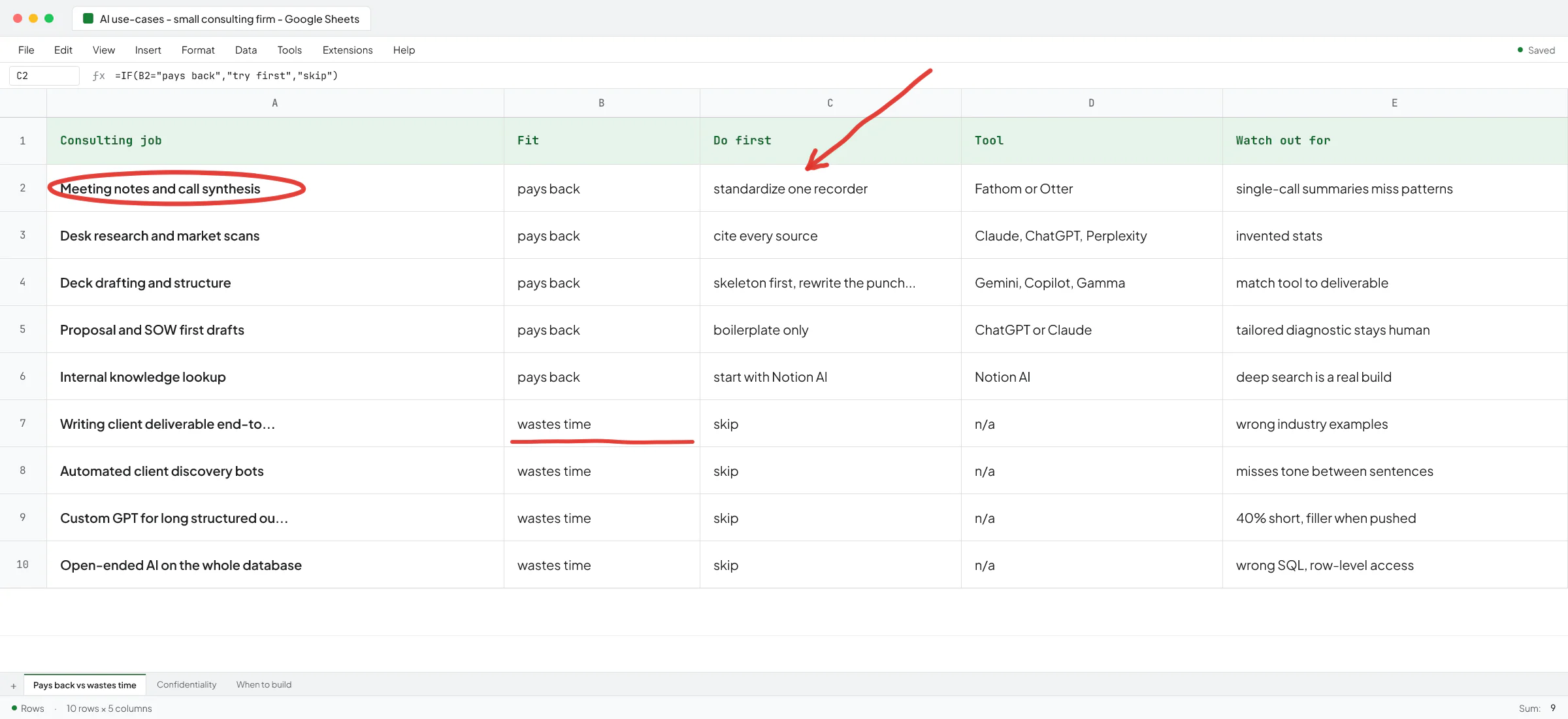
Meeting notes and call synthesis
The single highest-leverage use for a consultant is treating call recordings as an evidence layer instead of a folder of MP4s nobody reopens. On a discovery call I ran with the owner of an Oslo real-estate development firm, the CEO said roughly the same thing four times across an hour - that they had all the information they needed but couldn't combine their systems to get any useful output. That was the sentence the whole engagement should have hung on, and it's the kind of thing you miss when you rely on Fathom's or Otter's single-call summary.
The out-of-the-box play: standardize on one recorder (Fathom or Otter, compared here), ask it for a structured summary per call, and dump every transcript into a shared folder. The gap those tools don't fill is aggregation across all calls in an engagement, which is where a small Claude or ChatGPT project pointed at the folder starts to earn its keep. Deeper synthesis (patterns across dozens of interviews) is a real build - I covered that pipeline in AI sales call analysis for small B2B firms.
Desk research and market scans
Consultants have always spent hours in browser tabs. AI cuts that meaningfully now. Claude and ChatGPT with browsing, plus Perplexity for source-cited answers, cover most quick "what does the competitive landscape look like" or "what are the top three payer contracting models for oncology" questions well enough for a first-cut hypothesis.
Two things to keep in mind. First, cite everything you use. AI still confidently invents statistics, and a consultant who quotes a made-up 47% ROI to a client will not survive the meeting. Second, if the research question is niche or the sources are gated (analyst reports, industry PDFs behind paywalls, government portals that need login), the general-purpose tools stall - that's where a custom agent that reads the reviews or PDFs starts to pay back, like an AI lead-finder I built that reads every Google review with full context instead of guessing.
Deck drafting and first-pass slide structure
Structure, and not so much content. AI is good at proposing the arc of a deck (situation, complication, question, answer, so-what), less good at writing the punchline slide that lands with a client's C-suite. Use it to skip the blank page: paste your outline, get a 20-slide skeleton with slide titles and one-line takeaways, then rewrite the ones that matter.
Google Gemini in Slides and Copilot in PowerPoint both do this without leaving the deck. Gamma is a different tool that generates full decks from a prompt and works better than either as a starting point for internal walkthroughs. I recommended Gamma to Ove André Remme, founder of Terapivakten, for a Norwegian-language educational content project, and the reason it worked wasn't the deck output itself - it was that the shape of his job (long structured lessons) matched what Gamma is good at. He wrote about that fit in his LinkedIn recommendation: "Vlad saw what I was trying to create before I'd even fully explained it." For a McKinsey-style board deck the same tool would flop, so match the tool to the deliverable.
Proposal and SOW first drafts
Every consultant writes the same proposal seven times a year with the client name and scope swapped in. AI drafts the boilerplate well - approach, methodology, team bios, prior work section - and lets you spend your time on the parts that get you hired (the tailored diagnostic, the pricing structure, the risks section). I wrote up how far the general-purpose tools go and where they fall apart in AI proposal generators for small B2B firms and AI scope of work generator for small B2B firms.
Internal knowledge lookup
If your firm has a wiki, a Notion, or a Google Drive with three years of past project decks, the associates cannot find anything in it. A small retrieval setup that lets them ask "what did we do on the last cost-to-serve engagement in medtech" and get the deck plus the two-pager back saves them from starting every project cold. Notion AI does the shallow version natively; a real build (semantic search over the whole drive) is a couple weeks of engineering and pays back forever.
Where AI wastes your time (or worse) at a small consulting firm
Writing the client-facing deliverable end-to-end
This is the most common failure I see. The partner is under deadline pressure, an associate is told "just have ChatGPT draft the whole thing", and what lands in the client's inbox is 40 pages of confident-sounding generality with the wrong industry examples. The client either notices and loses trust, or doesn't notice and acts on bad advice.
The Oslo CEO said something similar about their internal use of AI - they'd ask a question and get pages of general output back, and struggle to pull real data out of it. That was them describing AI as an input tool. Now imagine it as your output tool going to a paying client.
AI drafts well, but it edits your thinking rather than replacing it.
Automated client interviews or discovery bots
I've seen small firms try to replace the first 30 minutes of a discovery conversation with an AI intake form or chatbot. It always fails for the same reason: half the value of a consultant is what you hear between the client's sentences, and AI doesn't catch the resigned tone in a CFO saying they only found out about a two-million loss a year late. Automate the scheduling and the follow-up email, and keep the conversation itself with a human.
Custom GPTs for anything that needs long, structured output
Custom GPTs work great for narrow lookups and short generations. They fall apart on anything that needs 5,000+ words of structured content with real depth. Ove hired another freelancer before me who spent two weeks building a custom GPT to generate course lessons in Norwegian; it produced roughly 40% less content than the brief called for, and when pushed to generate more it produced unnatural filler. That wasn't really a prompt problem, it was an architecture problem. Custom GPTs give up the pieces (control over model, retrieval, chained calls, output validation) that make long-form work reliable. I picked up the project after and rebuilt it as a real application - Ove walked through why in the video testimonial.
The pattern generalizes: if the deliverable is long, structured, and quality-sensitive (a full market landscape, a 30-page operational assessment, a training curriculum), don't try to ship it as a custom GPT.
Automated analytics on the whole client database
Every quarter, a founder asks me for an AI that natural-language-queries the entire client data warehouse. A recruitment-AI startup I work with tried this early on - their team connected an off-the-shelf SQL agent library directly to the production database, and row-level access wasn't even locked down properly. Once I saw the shape of what they needed (five or six recurring analytical questions), we replaced it with tool calls to parametrized SQL. Fewer surprises, no wrong-SQL debugging at midnight, and a client who could trust the numbers. So if the use cases are countable, hardcode them, and save the flexibility of an open-ended agent for when you really need it.
Client confidentiality: the checkpoint before you scale AI use in the firm
If you are handling client-confidential material (financials, strategy documents, personal data, anything covered by an NDA), the free tier of a chatbot is not the tool. It defaults to using inputs for model improvement unless you explicitly change the setting, and even then, "pasting client data into a US consumer web app" is a conversation you probably don't want to have with your client's legal team.
The safer defaults for a small consulting firm:
- ChatGPT Business or Enterprise, Claude Team, or Copilot for Microsoft 365 on a company account. These plans exclude your business data from model training by default and give you an admin console instead of ten personal logins.
- One shared account per client engagement if the client's own data policy is stricter, so an associate rolling off the project can be revoked cleanly.
- A written team standard on what can and can't be pasted in. Client name and public-facing context: fine. Named individuals from the client's employee list, financials, source documents: only into the approved paid tier.
I covered the plan-by-plan trade-offs in more depth in Is ChatGPT safe for confidential information and ChatGPT for small business pricing. If your firm has never written down the "what we paste in and what we don't" standard, that's the first thing to do this month.
When to stop tool-shopping and hire someone to build
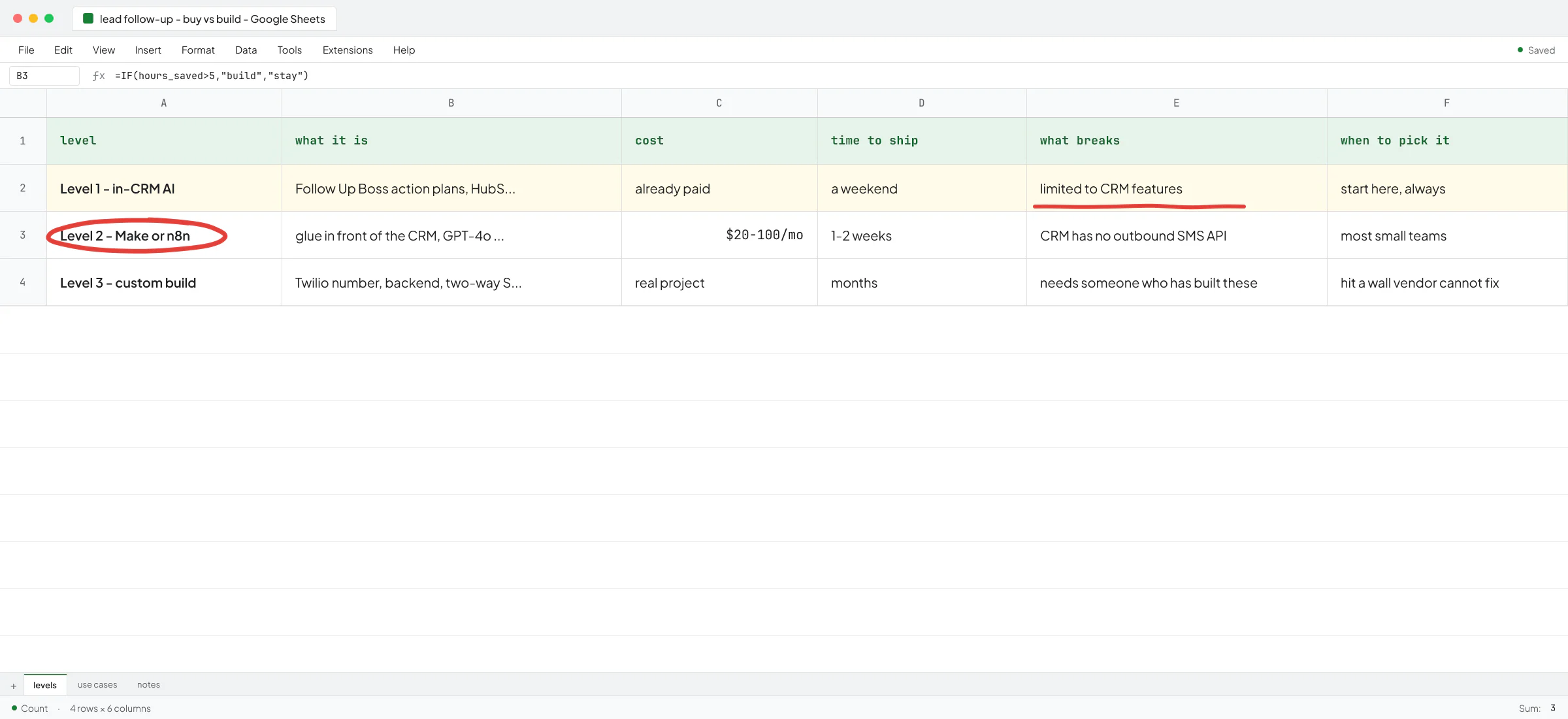
Most small consulting firms hit the same ceiling. You've bought the seats. Every consultant has ChatGPT Plus, the deck tools plug into Slides, Fathom is on every call. And the compounding gain everyone promised is not showing up in the P&L. Utilization is the same, the associates still spend Sunday finishing the deck, and nothing you do inside a chat window connects to the CRM, the time tracker, the past-project archive, or the deliverable template.
That's the moment to stop shopping. The next leverage is not another subscription; it's a build that connects what you already have. Some examples I've shipped or scoped for clients in this position:
- A per-engagement research agent that pulls filings, competitor news, and analyst commentary into a shared workspace on day one of a new project, so the associate walks in with a briefing instead of building it.
- An interview-synthesis pipeline that reads every discovery transcript in the engagement and produces a clustered set of themes with verbatim quotes attached. Same pattern as the pipeline I built for a staffing-agency SaaS client, where the earlier version ran too slow and broke intermittently until we rebuilt it as a team of agents.
- A proposal generator that pulls from your last 40 SOWs, respects your pricing rules, and hands the partner a first draft in twenty minutes instead of half a day.
- A ChatGPT-style search widget over the firm's past deliverables so associates can find prior work by natural-language description. I built a version of this on a WordPress site for a staffing agency, and the same pattern maps directly to a consulting firm's internal knowledge base.
None of that is science fiction. It's normal engineering, and the reason to hire it out rather than have a partner spend evenings vibe-coding it is that a build that touches client data needs to be right the first time. Ivan Nikolaichuk, technical co-founder at Sellify AI who I worked with for almost two years, put the general point in his recommendation: "Vlad knows his craft well and was able to handle complex engineering tasks independently." In startups and in small firms, the requirements move constantly, so the ability to ship without weekly hand-holding is what gets these things over the line.
Before you commission a build, get honest about whether you've maxed out the tools you already have. I wrote about that discipline in Toolsmaxxing. If you have, and the ceiling is real, that's a conversation worth having.
Not legal advice on client-confidentiality matters - check with your firm's counsel or the client's own data policy before rolling anything out at scale.
If any of this maps to where you are, book a call and walk me through what your team is doing today. I'll tell you which use case pays back fastest for a firm your size, what to try first with the tools you already own, and where a build is worth the money.
FAQ
Is AI actually useful for management consultants or is it hype?
Both, depending on what you point it at. Meeting synthesis, first-draft research, deck structure, and proposal boilerplate genuinely save hours a week per consultant. Writing the client deliverable end-to-end or replacing discovery conversations doesn't work and damages trust when clients notice.
What's the best AI tool for consultants?
There's no single answer. For most small firms the starting stack is a paid chatbot on a business plan (ChatGPT Business, Claude Team, or Copilot), one meeting recorder (Fathom or Otter), and Gemini or Copilot inside your deck tool. The next tool depends on where your team is losing time, which is different at every firm.
Is it safe to paste client data into ChatGPT?
Not on the free tier. The paid Business, Team, and Enterprise plans of ChatGPT, Claude, and Copilot exclude your inputs from model training by default and give you admin controls. Even then, a written internal standard on what can and can't be pasted matters more than the plan itself.
When does a custom AI build make sense for a small consulting firm?
When you've bought the subscriptions, they're plugged in, and utilization still isn't moving. That usually means the leverage is in connecting systems (past-project archive, CRM, deliverable templates) rather than adding another seat. A build is warranted when the same manual step happens across every engagement and you can name the exact input and exact output.
Will AI replace management consultants?
Not on the current technology. It replaces some of the associate's grunt work (research pulls, transcript cleanup, deck skeletons) and leaves the parts clients pay for (judgment, relationships, packaging the answer) firmly with the human. Firms that let the associate spend the freed hours on client work instead of on more slide-polishing will pull ahead.