You send the same five sections every week. Scope, pricing, timeline, team bios, case studies. The only thing that changes is the client name, the numbers, and which two case studies fit best. So you open the last proposal, save as, and start the search-and-replace pass that always takes longer than you planned.
That's the job an AI proposal generator is supposed to do. The market roughly splits by what kind of work you're trying to remove, and most small B2B firms pick the wrong layer for their stage. Here's how to tell where you fit.
The three buckets
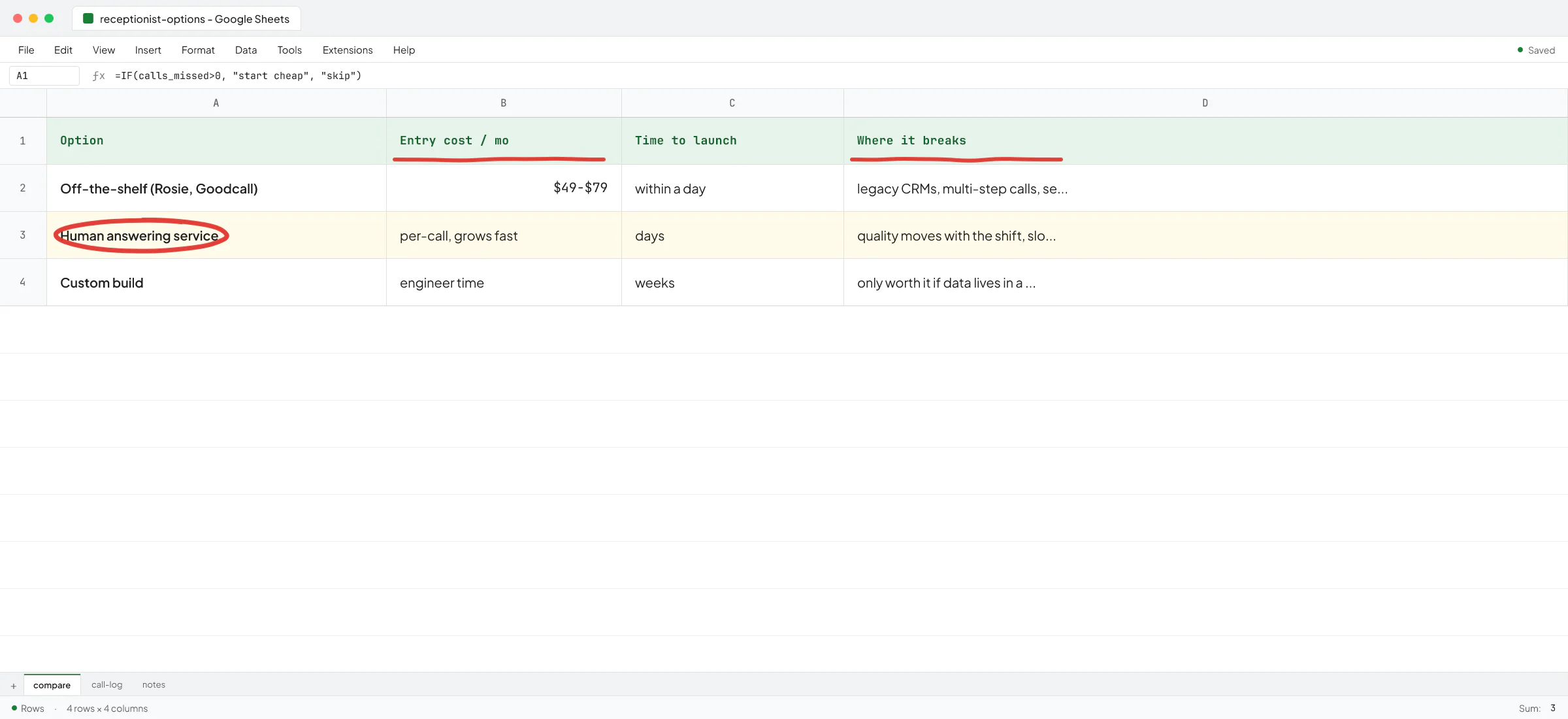
Most "AI proposal generator" articles list 30 tools and rank them by feature count. A more useful cut is what kind of work you're trying to remove.
- Drafting: you have the structure and the past examples, you just hate writing the first draft. ChatGPT or Claude with a good prompt and your template pasted in. Cost: whatever plan you already pay for.
- Document workflow: drafting plus branded templates, e-signature, version control, view tracking, a content library your team pulls from. This is where PandaDoc, Proposify, Better Proposals, and Qwilr live. Cost: a seat fee per user per month.
- End-to-end generation: a proposal that pulls live data from your CRM, pricing engine, and past project history, and writes itself when a sales call ends. This is custom engineering. No off-the-shelf tool does this for a small B2B firm the way you actually work.
If you don't know which bucket you're in, you're probably in bucket one. Most teams overshoot.
Bucket 1: drafting with ChatGPT or Claude
The unglamorous truth here is that if you send fewer than ten proposals a month and they all look roughly the same, the right tool is the chatbot subscription you already pay for, plus a saved prompt.
The prompt I'd start with: paste your best past proposal, the discovery call notes or transcript, and ask the model to produce a new draft in the same structure with the client's specific situation in the scope and pricing sections. Then you edit. The edit is where the value comes from, because that's where your judgment lives.
Two things to handle before this works:
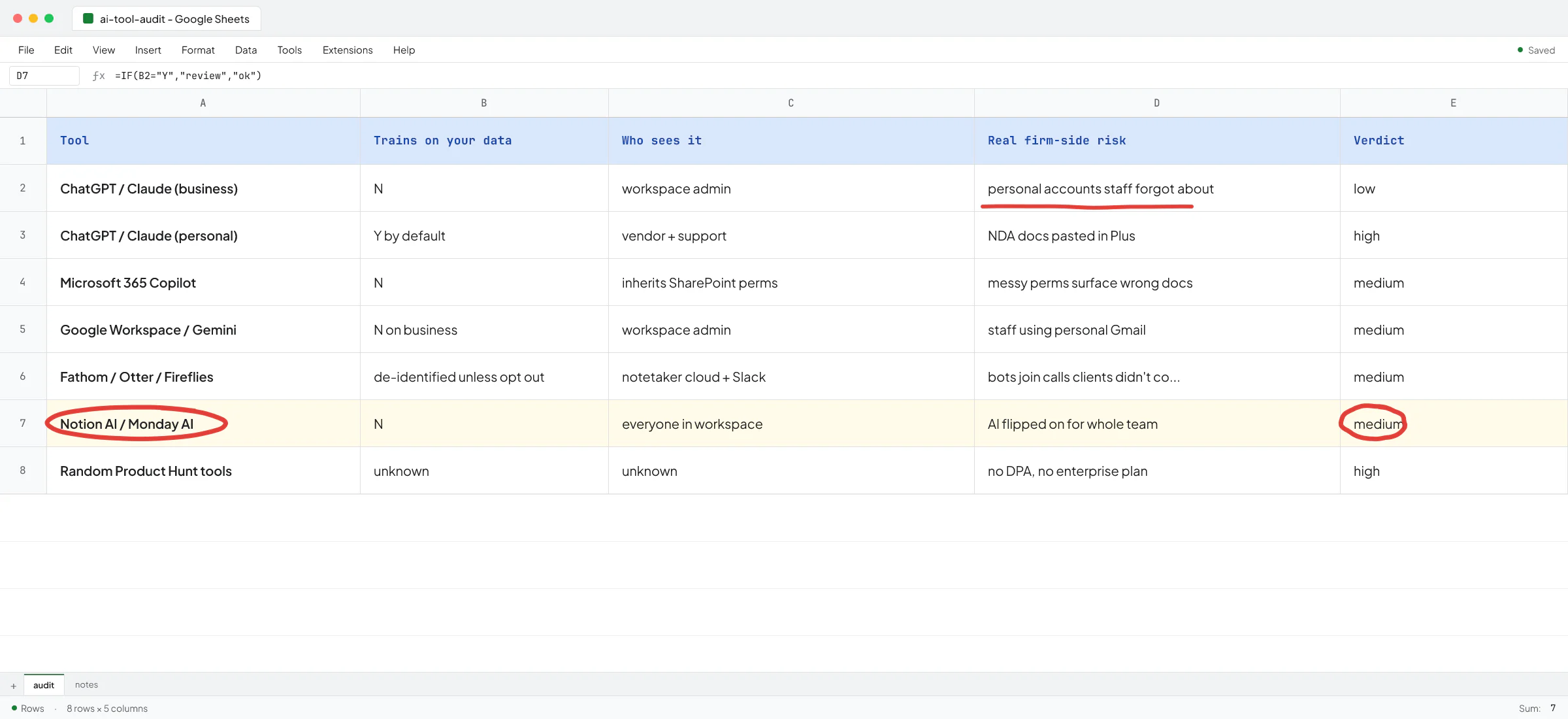
- Confidentiality. If proposals contain client NDAs, financial data, or anything covered by your engagement letters, you need a plan that doesn't train on your inputs. ChatGPT Team, Business, and Enterprise plans exclude business inputs from training by default. The free and Plus consumer plans don't. I've written more about the ChatGPT plan differences for confidential client work if you want the longer version.
- Voice drift. Models default to a polished, slightly hollow voice that doesn't sound like you. The fix is to paste 2-3 real past proposals and tell the model to match the voice and rhythm of those examples. Giving the model one specific human writer to imitate is the same move that took a client's AI-written content from 'obviously AI' to 0% on AI detectors. Don't trust it on the first try, read it out loud.
A small recruitment-AI startup I work with as a contractor was generating job-ad copy this way for a while before we built anything custom. The founder was iterating in Claude, pasting in the brief, getting drafts, editing. It worked because the volume was low and he had taste. The day his team rolled out to dozens of recruiters, the Claude tab stopped scaling and we had to build a real pipeline.
A useful test for staying in bucket one: can one person own proposals start to finish in under an hour each? If yes, don't pay for a tool, don't hire anyone, just keep going.
Bucket 2: document workflow tools
You graduate to bucket two when one of these is true:
- More than one person sends proposals and they keep producing inconsistent-looking documents
- You want e-signature built in instead of bouncing to DocuSign
- You want to know when the client opened the proposal and which page they spent time on
- You have a content library (case studies, team bios, standard scope language) that should be reusable but currently lives in someone's Google Drive
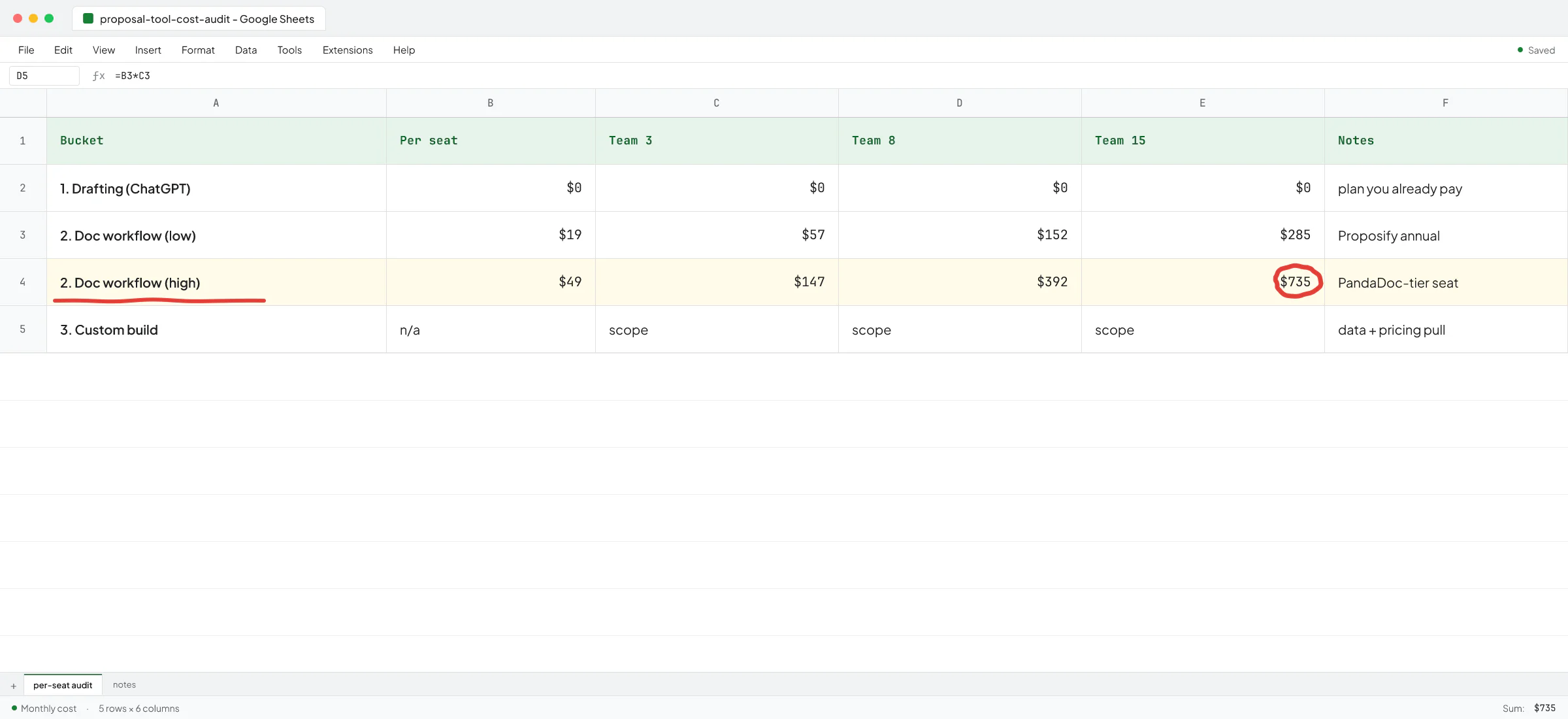
The tools in this bucket all do roughly the same job. They wrap drafting in templates, signing, tracking, and reusable content blocks. Pricing sits in the $19-50 per user per month range depending on plan and tool - Proposify starts at $19/user/month on annual billing as one anchor point. Check the vendor's own pricing page when you compare, because plans shuffle.
Most of these tools now ship an "AI assistant" feature - draft this section, summarize this RFP, rewrite this paragraph. Treat that as a nice-to-have, not the reason to pick the tool. The AI quality across PandaDoc, Proposify, and Better Proposals is roughly equivalent because they're all calling the same underlying frontier models. What differs is the template library, the CRM integrations, and how the signed-doc workflow connects to your accounting system.
Three questions that filter the shortlist fast:
- Does it integrate natively with your CRM? If you use HubSpot, Pipedrive, or Follow Up Boss, check that the integration writes back proposal status (sent, viewed, signed) without a Zapier middle layer.
- Does the e-signature meet what your clients need? US e-sign is mostly fine across all tools. If you have EU clients or regulated industries (healthcare, legal), check for eIDAS compliance.
- Does pricing scale per seat in a way you can live with? A 3-person sales team on a $49/seat plan is $147/month. A 15-person team is $735/month. The math changes which tool wins.
The trap in bucket two: paying for the tool, never building the template library, and ending up using it as an expensive PDF generator. The work is in the templates and the content blocks, and the software just hosts them. Budget a week of someone's time to build the library before the seat fees start running.
Bucket 3: when off-the-shelf hits the wall
Most articles in this category quietly stop here, because the answer requires hiring someone. So let me describe the wall first, then what gets built on the other side of it.
You hit the wall when proposals stop being a writing problem and become a data problem. Concretely:
- Your pricing depends on live data the proposal tool doesn't know about (current inventory, current capacity, current cost basis, current FX rates)
- Each proposal needs to reference the specific client's history with you, pulled from your CRM and your ops system
- You send enough volume that even a 20-minute manual step per proposal is a full headcount
- The proposal is one step in a longer flow - discovery call ends, AI summarizes, drafts proposal, routes to the right person to review, sends, follows up if unread after three days
At Sellify AI, the startup where I worked as an AI engineer for two years building pest control sales automation, this was the shape of one of the systems we built. The AI was running outreach, handling objections, generating pest control service agreements with the right pricing for the right region, and routing signed agreements to the CRM. Mike Johnson, VP of Operations at HomeTeam, said the campaign generated over $1M in new mosquito revenue in a single month without adding a single sales rep. That's what bucket three looks like when it works - the proposal-and-agreement step disappears into a larger system, and the sales team focuses on the work humans are still better at.
For my current recruitment-AI client, we went the other direction first. The team had connected Claude to a SQL database with a LangChain wrapper, hoping it would generate analytics on the fly. When I got the full context, I told them the project had five or six real use cases that could be handled reliably with hardcoded SQL behind tool calls, and we didn't need to debug why the AI generated bad SQL when a user asked for something at the edge. The right architecture for proposals is usually a small AI surface (the writing) wrapped in deterministic plumbing for the data, the templates, and the routing.
How to know if you need bucket three:
- You're sending more than 30-50 proposals a month and the volume is growing
- A real chunk of the proposal content is calculation, not writing (pricing tables, capacity, scheduling)
- You have a CRM or ops system that already holds the data the proposal needs
- The cost of one wrong proposal (wrong price, wrong scope, missing clause) is bigger than the cost of a week of engineering
If none of those are true, stay in bucket one or two. Custom builds for problems that don't need them are how firms light money on fire.
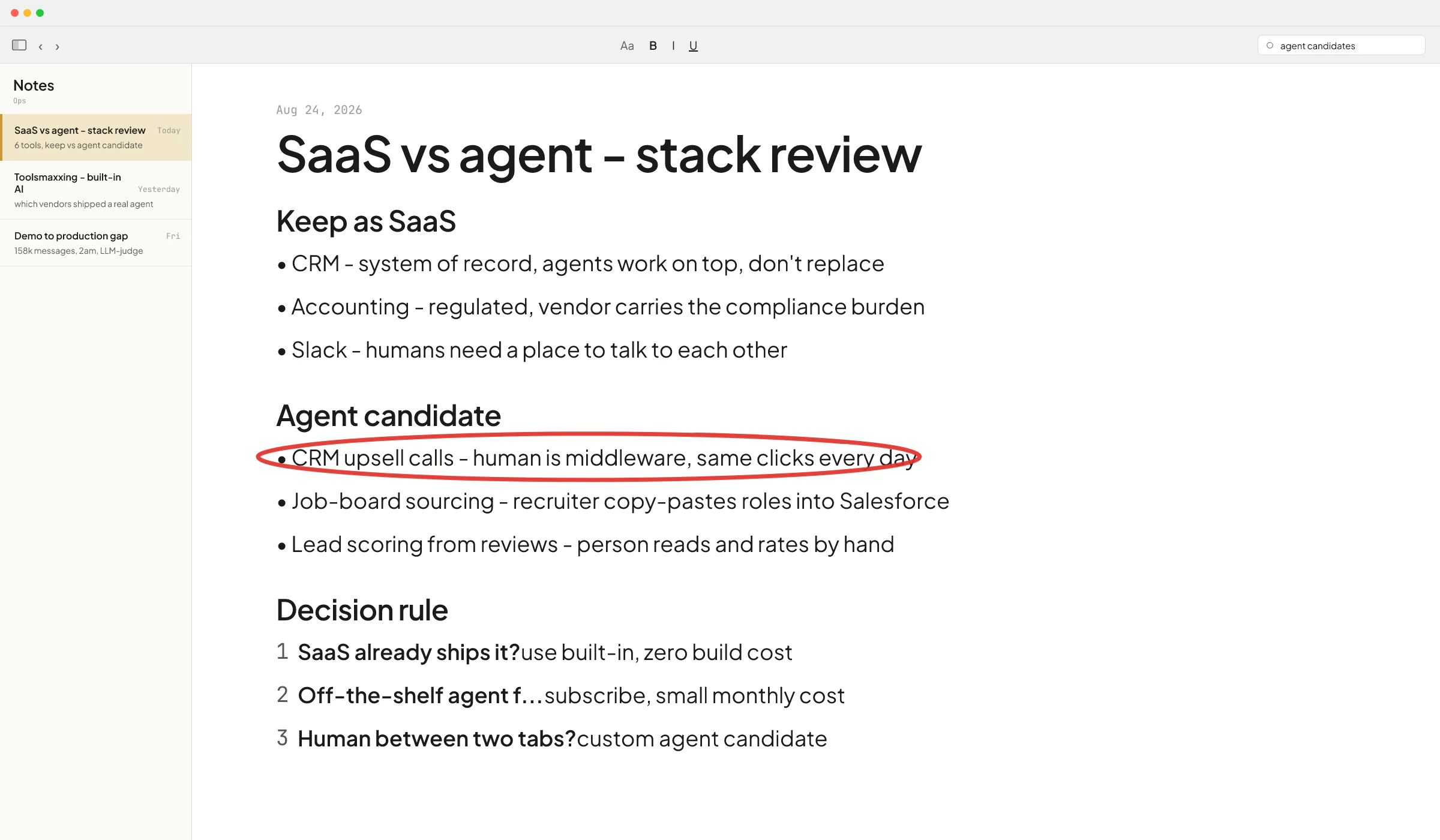
The "I'll just build a custom GPT" trap
A pattern I see often: a non-technical founder spends a weekend building a custom GPT, ships it to the team, it works for the first few proposals, then it stops working. The output gets shorter. The voice gets generic. Edge cases produce something unusable.
This is the exact problem Ove André Remme, the founder of Terapivakten in Norway, hired me to fix. He had spent two weeks with another freelancer building a custom GPT to generate course lessons - the freelancer had 20+ five-star reviews. The GPT generated 40% less content than Ove needed. When he asked it to write more, the content turned unnatural. He paid for two weeks, got nothing usable.
In the video testimonial, Ove explains he initially thought I was being cocky when I told him a chat-agent approach wouldn't work. Then his first build failed and he came back. The real architecture used a proper pipeline with the right orchestration, not a single GPT trying to do the whole job. He called the content quality output "perfect".
If your proposal job is non-trivial (long output, structured sections, pulled-in data, voice consistency across team members), a custom GPT will struggle, regardless of how cheap and fast it feels to build. Either stay in bucket two with a real document workflow tool, or go to bucket three with proper engineering.
A decision rule you can use today
Before paying for anything new, run this in order:
- Take your last five proposals. How long did each one take? Who wrote it? How much was real writing vs. pulling data and reformatting?
- If real writing is the bottleneck and the volume is low, stay in bucket one. Save a prompt, paste your past proposal, edit. Make sure you're on a ChatGPT or Claude plan that doesn't train on your inputs.
- If template consistency, signing, and tracking are the bottleneck, go to bucket two. Pick the tool with the best CRM integration for what you already use. Budget the week to build the template library.
- If pulling data and calculating numbers is the bottleneck and volume is real, you're in bucket three. Don't try to solve this with a custom GPT.
The tools change every six months. The decision rule doesn't.
If you're sitting on enough proposal volume to make custom worth scoping, that's the kind of work I do as a contract AI engineer. Book a call at cal.com/vlad-brakalo/30min and we'll work out which bucket you're in and what (if anything) is worth building.
FAQ
What is the best free AI proposal generator?
For most small B2B firms, the free tier of ChatGPT or Claude with a saved prompt and your past proposals as examples is the best free option. Dedicated proposal tools mostly do not have a useful free tier - they have free trials. The drafting quality of a frontier model is equal to or better than what the dedicated tools wrap. The dedicated tools earn their money on templates, signing, and tracking, not on the AI writing itself.
Is ChatGPT good enough for writing client proposals?
Yes, for drafting. ChatGPT (or Claude) produces solid first drafts when you paste your best past proposal as a voice example and your discovery notes as the brief. The work you still do: edit for voice, check pricing and scope, and confirm nothing in the draft contradicts what you committed to on the call. If your team is more than one person, you'll also want consistent templates that ChatGPT alone won't enforce, and that's when you graduate to a proposal tool or build something custom.
How much does a proposal automation tool cost?
The dedicated proposal tools (Proposify, PandaDoc, Better Proposals, Qwilr) sit in roughly the $19-50 per user per month range depending on plan and annual vs. monthly billing. Check each vendor's current pricing page when you compare, because plans change. The bigger cost is usually the time to set up the template library and content blocks - budget a week of someone's focused time on top of the seat fees.
When does it make sense to build a custom AI proposal system?
When the proposal job is mostly data and calculation rather than writing, when volume is high enough that a 15-20 minute manual step per proposal is a real headcount, and when the proposal needs to pull live data from your CRM or ops system that no off-the-shelf tool integrates with. Below that bar, custom builds usually cost more than they save. Above it, a properly scoped pipeline pays back fast.
Will AI proposal tools leak my client data?
It depends on the plan you pick. The major proposal tools handle customer documents under their standard business privacy terms and do not feed your content to third-party model training by default - read their data processing agreements. If you draft in ChatGPT or Claude directly, use a Business, Team, or Enterprise plan, which exclude inputs from training by default. The free and Plus consumer plans of ChatGPT use prompts for training unless you turn that off in settings. If your proposals contain NDA-covered client work, the plan choice matters more than the tool choice.